




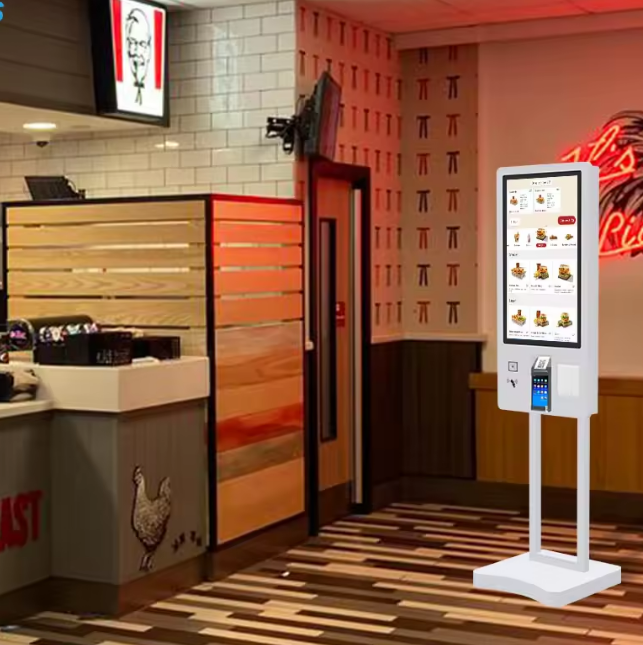
27-Inch Self-Service Fast Food Payment Kiosk Touch Screen Cinema Ticket Vending Machine With SDK Function


floor stand Self-service kiosk and self-ordering Touch screen kiosk
|
Display
|
||||
|
Display Panel
|
21.5” /27”/32”/43”
|
|||
|
Display Ratio
|
16:9
|
|||
|
Color
|
16.77M colors
|
|||
|
Display Area
|
476.064(H)*267.786(V)mm
|
|||
|
Resolution
|
1920*1080
|
|||
|
Brightness
|
350cd/m2
|
|||
|
Contrast
|
≥ 1000:1
|
|||
|
View Angle
|
178°left and right, up and down
|
|||
|
Points Distance
|
0.282(H)*0.282(V)mm
|
|||
|
Performance
|
||||
|
CPU
|
Quad core Cortex-A55, RK3568
|
|||
|
Frequency
|
2.0GHz
|
|||
|
RAM
|
DDR4- 2G (can customize 4G)
|
|||
|
Storage
|
EMMC 16G (can expand )
|
|||
|
GPU
|
ARM G52 2EE
|
|||
|
Graphic Card
|
Integrated graphics card
|
|||
|
Network Card
|
10/100M adaptive card
|
|||
|
WIFI&Bluetooth
|
Support WIFI and Bluetooth 4.0
|
|||
|
4G Function
|
Can customize 4G function(optional)
|
|||
|
OS
|
Android OS 11.0 and above
|
|||
|
Interface
|
||||
|
USB
|
USB 2.0*1, USB 3.0*1
|
|||
|
HDMI Output
|
HDMI*1
|
|||
|
TF Card Slot
|
TF card slot*1
|
|||
|
SIM Card Slot
|
SIM card slot*1
|
|||
|
Headphone Audio Output
|
Headphone Audio Output*1
|
|||
|
Network
|
RJ45*1
|
|||
|
WIFI
|
WIFI*1, support 802.11 b/g/n
|
|||
|
Printer
|
||||
|
Type
|
Thermal printer 58mm
|
|||
|
Print Width
|
384 dots
|
|||
|
Resolution
|
203DPI
|
|||
|
Print Speed
|
100mm/s(max)
|
|||
|
Paper Width
|
58 ± 0.5 mm
|
|||
|
Paper Thickness
|
56~105μm
|
|||
|
Interface Type
|
RS232 serial interface
|
|||
|
Life Time
|
1 million times
|
|||
|
QR Scanner
|
||||
|
Sensor
|
CMOS
|
|||
|
Resolution
|
640*480
|
|||
|
Communicate Port
|
TTL232, RS232, USB(HID,CDC) available (need
choose one of them, standard is USB port) |
|||
|
Format
|
2D, 1D
|
|||
|
Accuracy
|
5 mil
|
|||
|
Lighting
|
White LED
|
|||
|
View Angle
|
Horizontal: 68°, Portrait: 51°
|
|||
|
NFC
|
||||
|
Support Card
|
MIFARE One ( M1 ), S50 , S70 , NTAG2 the X- the
X- series, Fudan F08 , the I - COD E-the X- and other types of label; the same time, also supports second-generation ID card, the city a cartoon, bank identification card |
|||
|
Voltage Range
|
3.3 ~ 5.0 V
|
|||
|
Supporting Agreement
|
ISO1569 3 , ISO14443-A , ISO14443-
B , ISO 18092 |
|||
|
Working Current
|
30 mA~ 130 mA
|
|||
|
Operating Temperature
|
-20~85 ℃
|
|||
|
Wave Special Rate
|
115200 bps
|
|||
|
Reading Distance
|
20mm~60mm (depending on the tag and
antenna) |
|||
|
See Door Dog
|
Built-in hardware watchdog to prevent crashes
|
|||
|
Capacitive Touch
|
||||
|
Touch Type
|
Capacitive touch, G+G
|
|||
|
Points
|
10 points
|
|||
|
Glass Cover
|
Tempered glass cover
|
|||
|
Response Time
|
Less than 5ms
|
|||
|
Resolution
|
32767 * 32767
|
|||
|
Position Accuracy
|
±1.5mm
|
|||
|
Communication
|
USB2.0
|
|||
|
Life Time
|
Over 80,000,000 touches
|
|||
|
Others
|
||||
|
Format
|
PAL, NTSC
|
|||
|
Color
|
Black, White, can customize
|
|||
|
Gross Weight
|
30KG
|
|||
|
Voltage
|
220-240V 50/60Hz
|
|||
|
Power
|
≤ 60W
|
|||
|
Working Temperature
|
0- 40 ℃
|
|||
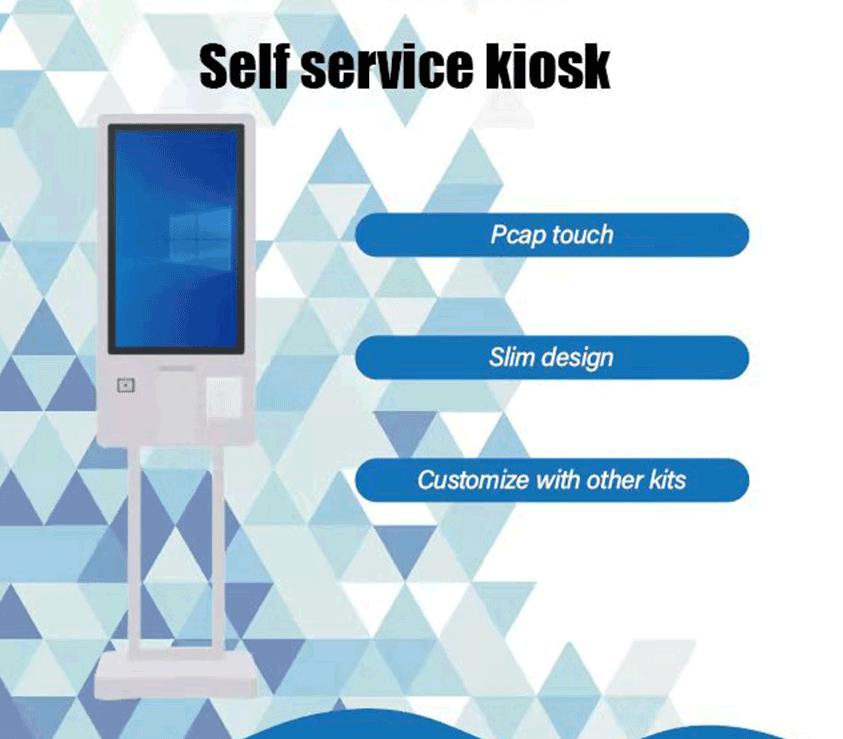
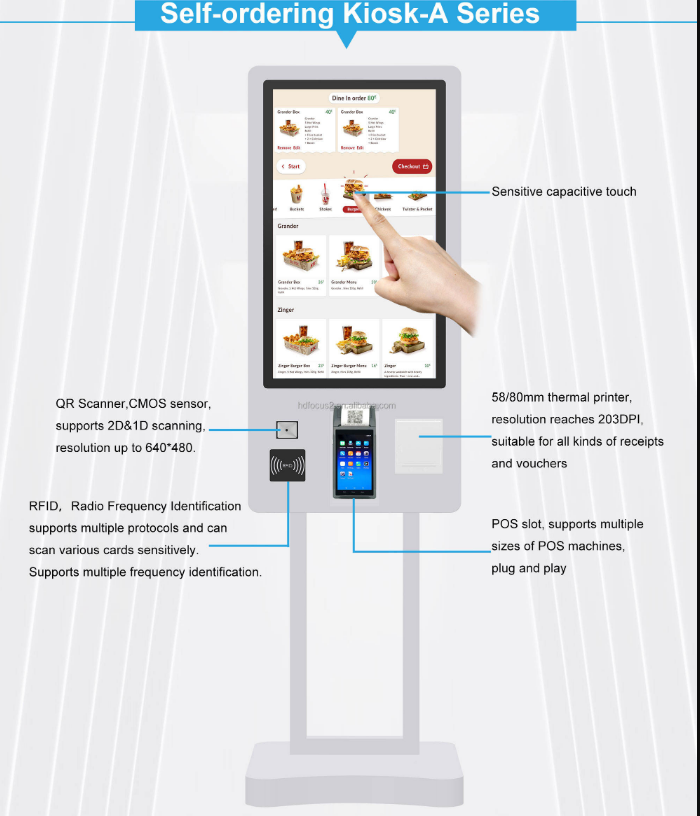
Self-Service Kiosk" vs. "Self-Ordering Kiosk" – What’s the Difference? Introduction
In today’s fast-paced retail and hospitality landscape, businesses are increasingly adopting self-service kiosks and self-ordering kiosks to streamline operations, reduce wait times, and enhance customer experience. While these terms are often used interchangeably, they serve distinct purposes. This article explores their differences, benefits, and real-world applications to help businesses choose the right solution.
What is a Self-Service Kiosk?
A self-service kiosk is an interactive digital terminal that enables customers to perform tasks independently, such as:
Checking in/out at hotels or airports
Purchasing tickets for events or transportation
Accessing information (e.g., store maps, product details)
Completing payments without cashier assistance
Key Features
Multi-industry applicability: Used in retail, healthcare, transportation, and hospitality.
24/7 availability: Reduces labor costs by automating routine tasks.
Customizable interfaces: Supports branding and user-friendly design.
Data-driven insights: Tracks user behavior to optimize operations.
Why Businesses Use Them
Cut operational costs: Minimizes staff workload for repetitive tasks.
Improve efficiency: Reduces queue times and human errors.
Enhance customer satisfaction: Offers convenience and control.
(Source: Netoptouch is Self-Service Terminal Solution)
What is a Self-Ordering Kiosk?
A self-ordering kiosk is a specialized type of self-service kiosk designed for food and beverage businesses. It allows customers to:
Browse digital menus with images and nutritional info.
Customize orders (e.g., add toppings, select sizes).
Pay seamlessly via card, mobile wallet, or QR code.
Redeem coupons/vouchers by scanning codes.
Key Features
Optimized for speed: Minimal taps required to place orders.
Upselling capabilities: Suggests add-ons based on user behavior.
Multi-payment support: Accepts contactless, swipe, or insert methods.
Integration with POS systems: Syncs orders with kitchen workflows.
Why Restaurants Use Them
Increase order value: Customers spend 22% more on average compared to traditional POS.
Reduce wait times: Faster ordering speeds up service.
Boost loyalty: Engages customers with personalized recommendations.
(Source: Bindo’s self-ordering kiosk, Amicis Lifestyle Kiosk)
Key Differences Between Self-Service and Self-Ordering Kiosks
Feature Self-Service Kiosk Self-Ordering Kiosk
Primary Use Broad (retail, healthcare, travel) Focused on food/beverage ordering
Functionality Check-in, info access, payments Menu browsing, order customization, payment
Industry Focus Multi-industry Restaurant-specific
Upselling Tools Limited Dynamic menu suggestions, add-on prompts
Payment Methods Basic (card, cashless) Advanced (QR, mobile wallets, contactless)
(Sources: Alibaba, Oracle Kiosks)
Which Kiosk is Right for Your Business?
Choose a Self-Service Kiosk if:
Your business operates in multiple industries (e.g., retail + healthcare).
You need 24/7 automation for check-ins, payments, or info access.
Your goal is cost reduction and operational efficiency.
Choose a Self-Ordering Kiosk if:
You run a restaurant, café, or fast-food chain.
You want to increase average order value and reduce wait times.
You need dynamic menu management and loyalty integration.
Conclusion
Both self-service kiosks and self-ordering kiosks empower businesses to enhance efficiency and customer experience, but they cater to different needs. While self-service kiosks are versatile across industries, self-ordering kiosks are tailored for food service, offering advanced ordering and payment features.
Actionable Tip: Assess your business’s core needs—whether it’s streamlining multi-industry operations or optimizing restaurant ordering—to select the right kiosk solution.
-

Few Free Video Brochure Card Sample Advertising Flyer To Support Your New Year 2022 Business
-
32 Inch All In One Elevator Wall Mount Advertis...
-

Android Windows Waterproof Interactive Smart Re...
-
Digital Signage Kiosk Display Black Interactive...
-

32 43 55 inch 2000 3000 nits ultra high brightn...
-

Factory Wholesale Android Floor Stand Display D...
-
Football Basketball Outdoor LED Advertising Dis...


